 MilO Trip Log
Business mileage that logs itself.
When your phone connects to the Bluetooth of one of your work vehicles, MilO starts a trip, records the drive with GPS, sorts it into Business or Personal by your work hours, and at the end of the month makes the mileage report for your accountant, as a PDF and a CSV file.
Download the latest APKFor Android 14 or newer · Free · How to install
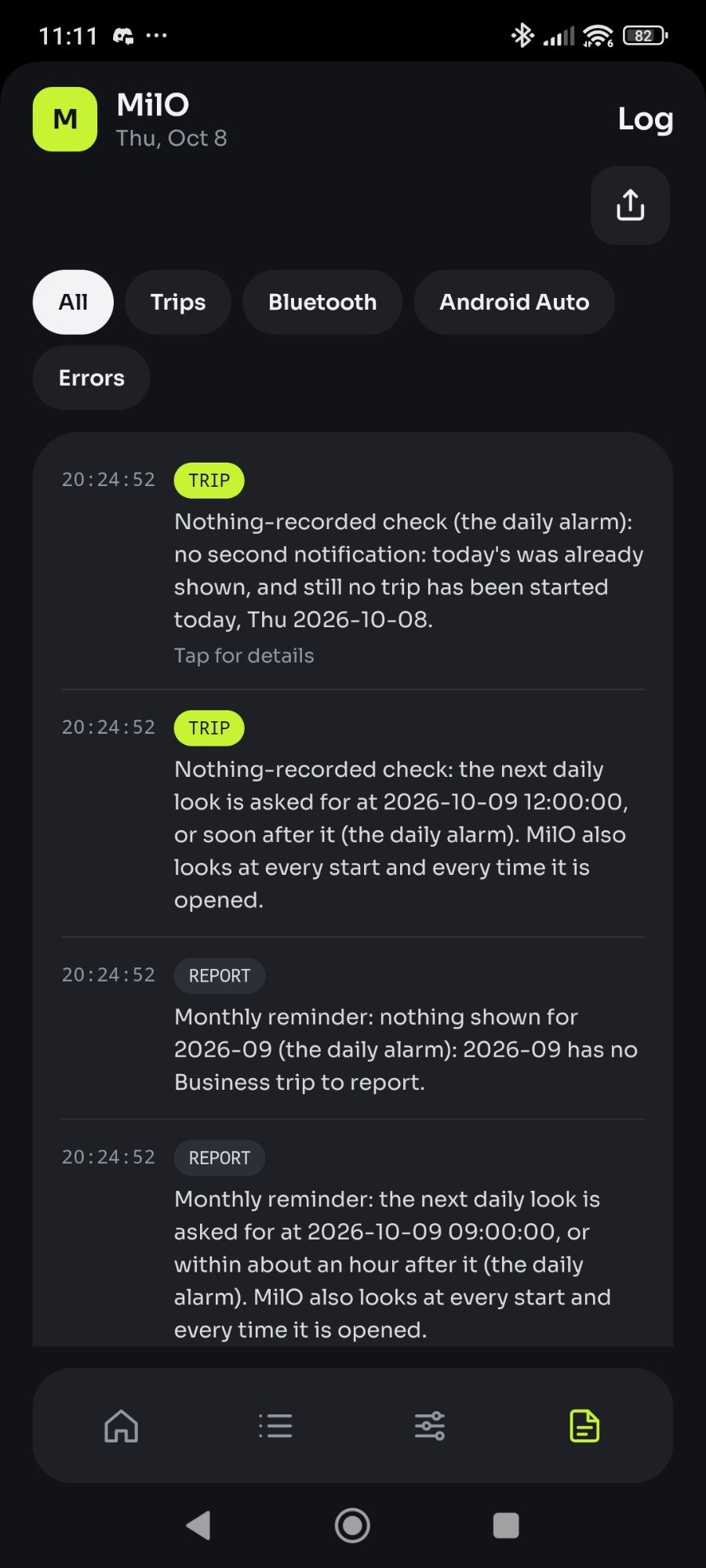
By itself
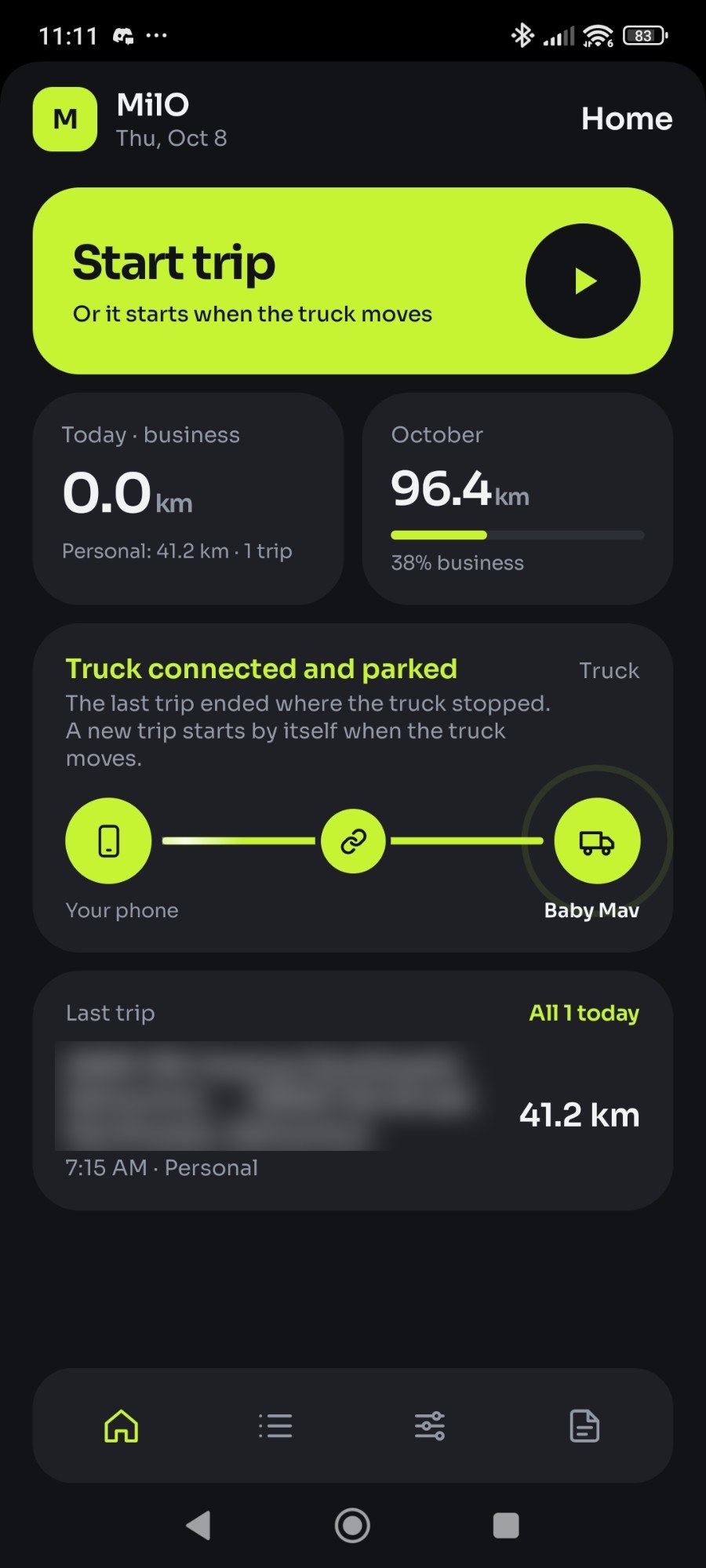
- Starts a trip when the phone connects to a work vehicle's Bluetooth, even with MilO closed, notes which vehicle it was, and ends it two minutes after the vehicle disconnects. Pair as many vehicles as you drive.
- Ends a trip when the truck has stood still for ten minutes, then starts the next one when it drives off.
- Plays a sound you can hear even on silent when it connects, and another when the truck drives off.
- Looks up each trip's start and end address, and saves it as Business or Personal by your work hours.
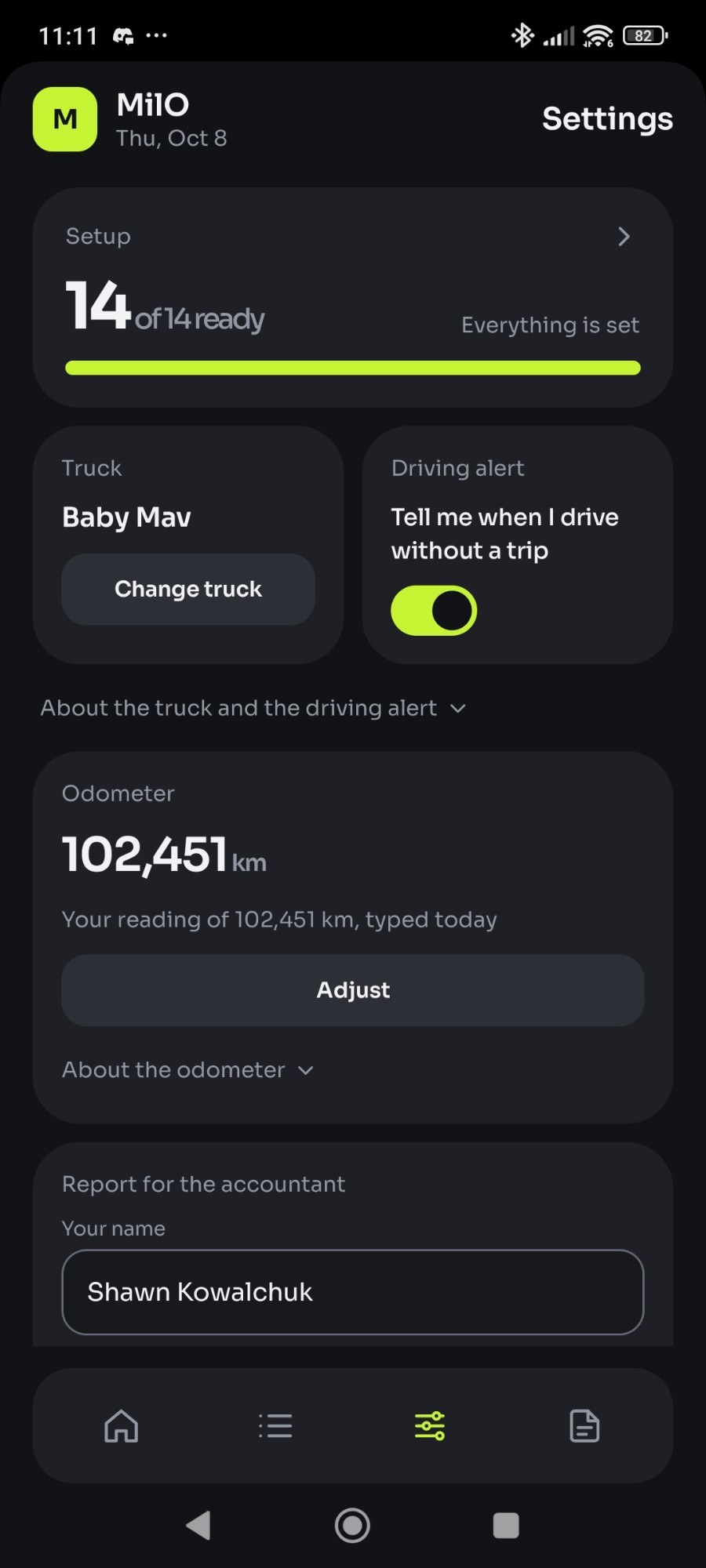
- Keeps each vehicle's odometer from one reading, plus every trip since.
- Reminds you to send last month's report, and tells you if a work day has no trip.
With you
- Start and End by hand on the phone, on the Android Auto screen, or on the home-screen widget.
- A home-screen widget: the trip as it runs, Start and End, and this month's and this year's Business kilometres in dollars, at a rate you set.
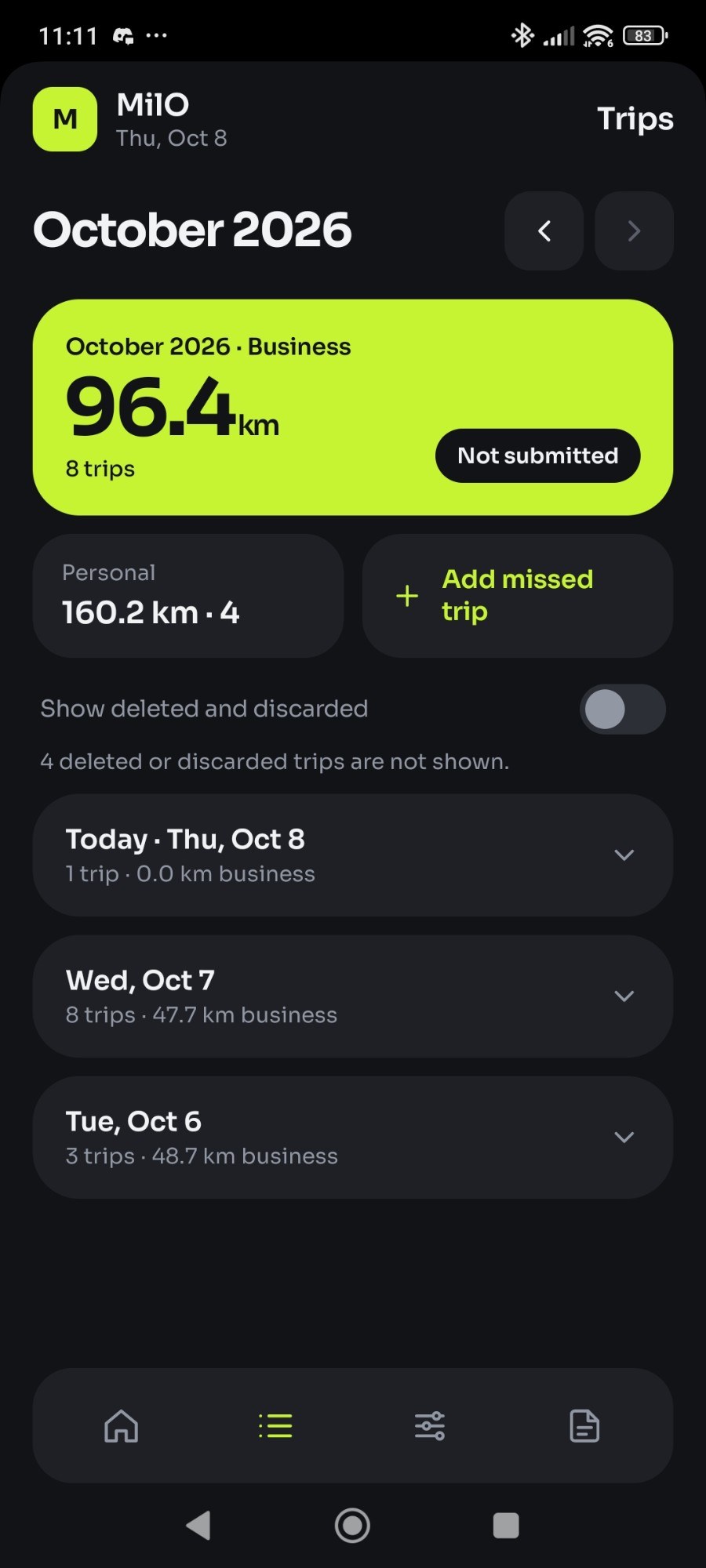
- Edit, delete or add a missed trip, and mark any trip Business or Personal.
- Label a trip with its purpose, from the labels you used before: the one used where it ended is chosen already, and the report prints it.
- Kilometres or miles, the report included.
- Send the report: MilO opens your email app with the PDF attached, and you press send.
- Export and import all your data as one file.
- See what changed in each version, in Settings and on the What's new page.
The report for your accountant
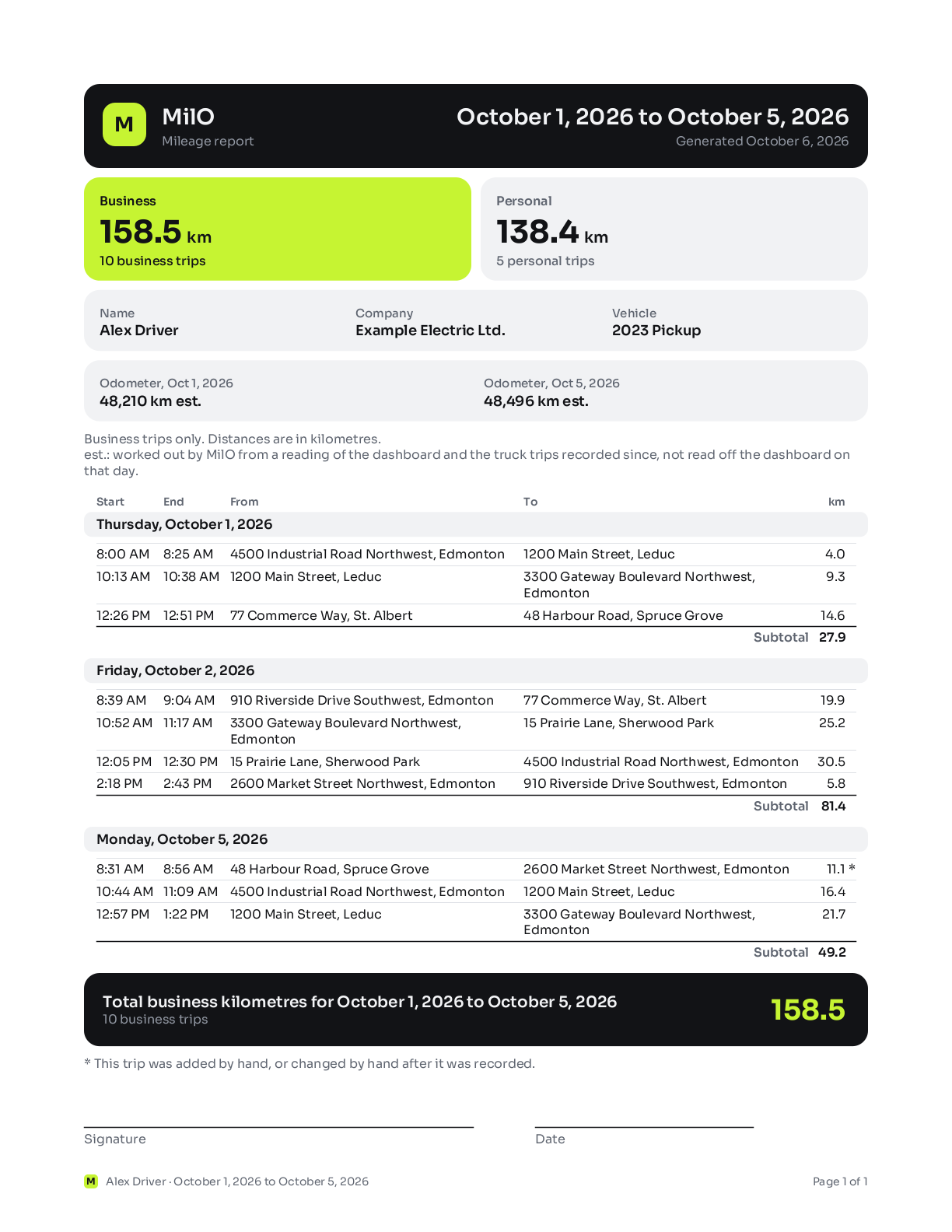
A sample page, drawn by the app's own layout code from made-up trips.
Installing the APK
- On your phone, open the latest release and download the
.apkfile under "Assets". - Open the downloaded file. The first time, Android asks you to let your browser or Files install unknown apps: allow it, go back, and press Install. Developer options are not needed.
- Google Play Protect may warn that the app is from an unknown developer, because MilO is not on the Play Store. Install anyway if you trust it.
- Open MilO. A first page says what it does; OK leads to Setup, which asks for the permissions and pairs your vehicles.
To update, install the newer APK over the old one: your trips stay. Never uninstall MilO to update it, because that deletes every trip.
MilO is built and tested on one Xiaomi phone. On other phones the automatic start depends on how hard the maker stops apps in the background; Setup shows what it can check. The Android Auto screen is not expected to appear in a car for an app that is not from the Play Store.
Your trips stay on your phone
MilO has no account, no server and no internet permission. Your trips leave the phone only in files you send or save yourself, in your own Android backup, and as positions handed to Android's own address lookup.
Questions
Is MilO free?
Yes. MilO is a free download with no subscription, no ads and no in-app purchases. It is a personal project with no support desk: you can write to support@milotriplog.top, and its maker answers when he has time. If it is useful to you, you can buy him a coffee at buymeacoffee.com/SeaWingman.
How does MilO start a trip by itself?
You pair your vehicle's Bluetooth once, in Setup. From then on Android wakes MilO when the phone connects to it, even with the app closed, and MilO records the drive with GPS. The trip ends two minutes after the vehicle disconnects, or when it has stood still for ten minutes.
Does MilO need an account or the internet?
No account, and the app has no internet permission: your trips stay on your phone. Only the street addresses are looked up by the phone's own address service, which on most phones uses the internet.
Is the report enough for the CRA or the IRS?
The report lists each trip's date, start and end times, start and end addresses, distance, Business or Personal, and its purpose: the label you gave it. It also has each vehicle's odometer at the start and end of the period. Both the CRA and the IRS ask a logbook to show the purpose of each business trip, and MilO prints one only for a trip you labelled. Ask your accountant what else your records need.
Does MilO work on iPhone?
No. MilO is for Android 14 or newer only.
Kilometres or miles?
Either. One setting switches every distance in the app, and the report, between kilometres and miles.
Is there a home-screen widget?
Yes. It shows the trip as it is recorded, with Start and End buttons, and this month's and this year's Business kilometres in dollars, at a rate per kilometre you set in Settings (70 cents to start). The dollars are for your reference only; the report for your accountant shows none. A switch in Settings turns the whole widget off.
Can MilO track more than one vehicle?
Yes. Pair each work vehicle in Setup, and any of them starts a trip by itself. Each trip records which vehicle it was in, each vehicle has its own odometer, and the report names the vehicle when the period had more than one. A drive in a vehicle that is not paired can be started with the Start button, or added by hand afterwards, and MilO can remind you when the phone notices you driving during work hours with nothing being recorded.
Can I note what each trip was for?
Yes. Press a trip on the Trips screen, then Label, and pick a label you used before or type a new one. The label last used where the trip ended, within 200 m, is listed first and already chosen, so a regular stop takes one press of Save. The report prints the label as the trip's purpose.
Is MilO on Google Play?
Not at the moment. You install it from its GitHub release, as the steps above describe.
How MilO compares
TripLog, MileIQ, Driversnote and Everlance are complete services, with an account, a cloud and an iPhone app. MilO is narrower: free, Android only, no account, and your trips stay on your phone. See the comparison.
A personal project
MilO Trip Log, MilO for short, was built by Shawn Kowalchuk for one phone and one work truck, and has been in daily use since October 2026. It is not on the Play Store. For a question or a problem, write to support@milotriplog.top: there is no support desk, and one person answers when he has time. The code is public on GitHub to read; all rights are reserved.
MilO is free. If it saves you time, a coffee is a welcome thank-you.
Buy me a coffee